Last updated May 15, 2026 with current APWG phishing data, refreshed FBI IC3 statistics, and a trust-led approach to protecting your brand and customers from impersonation at scale.
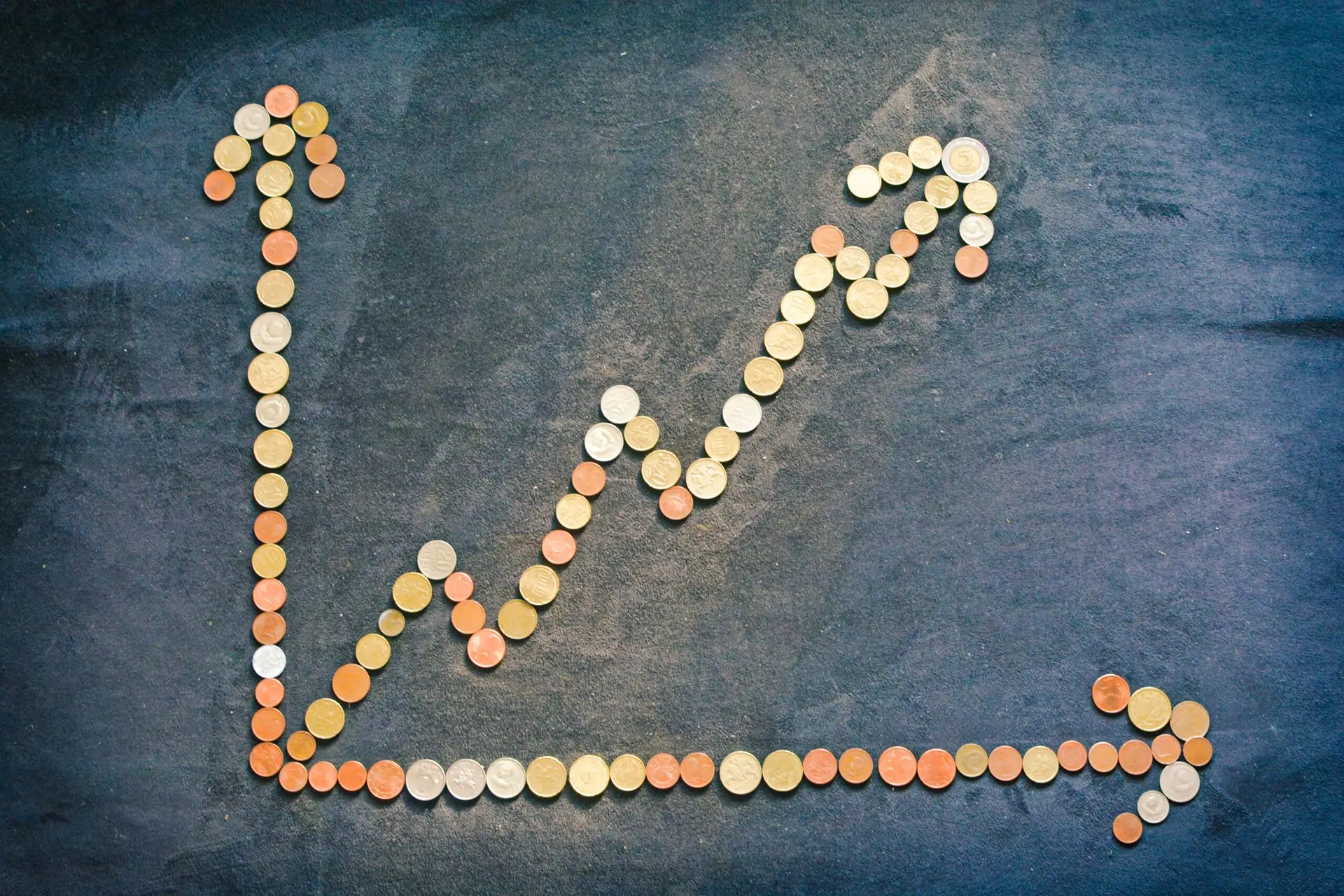
Fake websites are no longer a fringe problem. They are one of the fastest-growing pressure points on brand reputation and customer trust in ecommerce. APWG’s phishing activity data shows the volume of phishing sites detected globally went from roughly 110,000 in October 2019 to more than 1 million in September 2024, nearly a 10x increase in five years. APWG logged 3.8 million phishing attacks across 2025, roughly a million every quarter.
The financial pressure is climbing in lockstep. The FBI’s IC3 2024 Internet Crime Report names phishing and spoofing as the single most reported crime type with 193,407 complaints, and reported phishing losses jumped from $18.7 million in 2023 to $70 million in 2024, a 274% year-over-year increase. Total reported cybercrime losses reached $16.6 billion in 2024, up 33% from the prior year.
For ecommerce brands, the impact is twofold. Customers get tricked into paying a fake version of you and then blame you for the experience. And the rising volume of impersonation makes legitimate customer trust harder to earn even when nothing has gone wrong. This guide breaks down what fake-website fraud actually looks like, the takedown steps that work, and how to arm your customers to spot the difference before they get scammed.
What Is Domain Name Squatting?
Domain name squatting, also called cybersquatting, is the practice of registering domains that exploit a well-known brand’s name to deceive customers, redirect traffic, or extort the brand into buying the domain back. Some squatters set up active fake storefronts. Others just sit on the domain waiting for a payday. Either way, the brand pays the cost in lost trust, lost revenue, and customer service overhead.
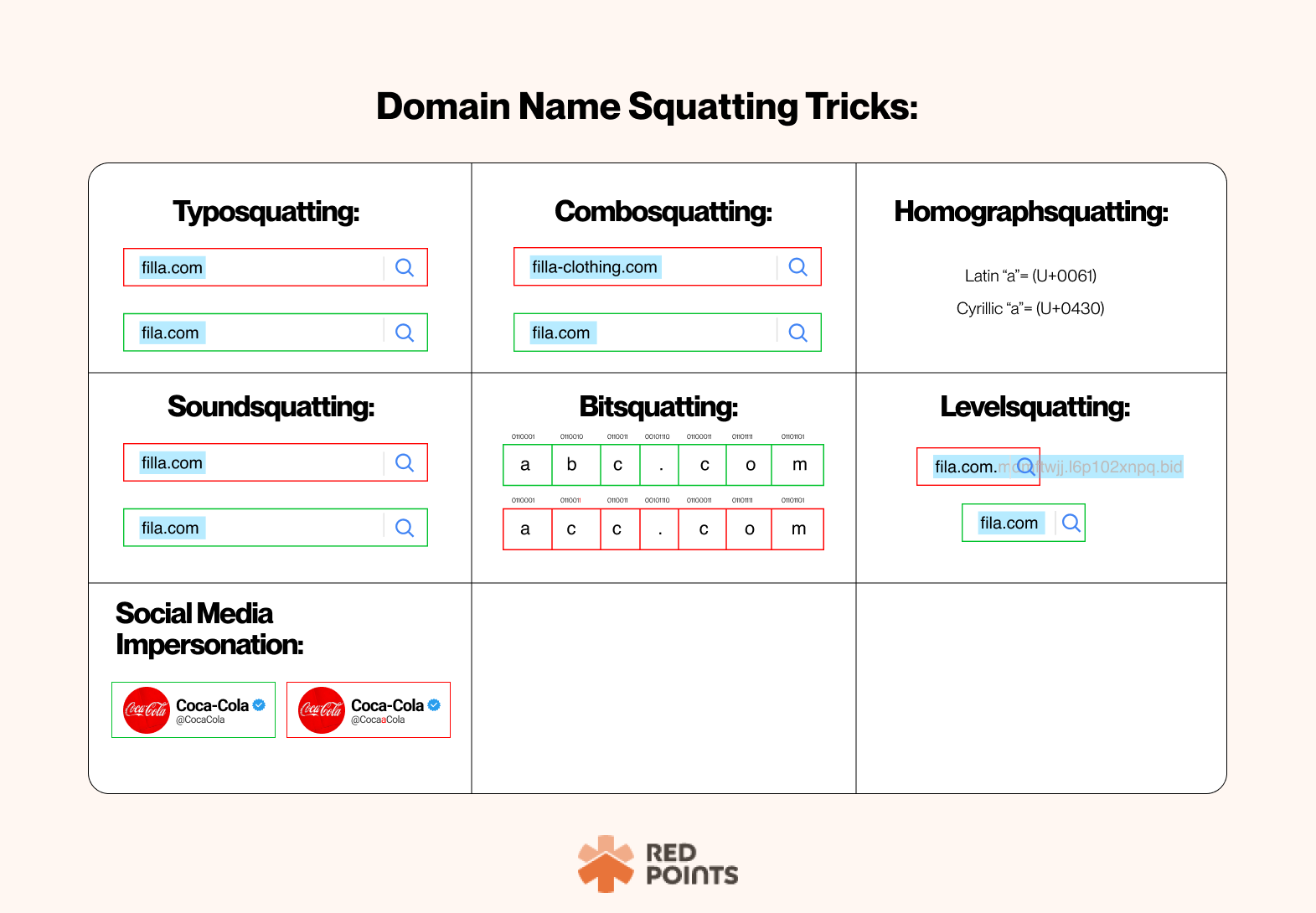
Cybersquatting takes several forms, and most brands face several at once.
Typosquatting
Also called URL hijacking. Squatters register domain names that are misspelled versions of a legitimate brand (a missing letter, a transposed letter, a swapped TLD). The target is the shopper who fat-fingers your URL into the address bar. Typosquatting is also commonly paired with business email compromise (BEC) and ransomware campaigns that rely on a recipient not noticing one or two changed characters in a sender’s domain.
Combosquatting
The squatter takes your brand name and pairs it with a credible-sounding additional word: “support,” “rewards,” “shipping,” “login,” “secure.” A combosquatted domain might be hiltontravelrewards.com or [yourbrand]-support.com. It looks plausible because it follows the logic real brands sometimes use for service-specific subdomains. The word “support” is one of the most heavily abused combinations across the category.
Homograph Squatting
Squatters use characters from non-Latin scripts that visually resemble Latin letters. The Latin “a” and the Cyrillic “а” render identically on most screens but are different characters underneath. A homograph domain looks like your brand to a shopper and a completely different domain to a computer.
Soundsquatting
Domains that sound like a legitimate brand when spoken or typed quickly: homophones, near-rhymes, or alternate spellings that exploit voice search and audio-driven discovery.
Bitsquatting
A more obscure pattern that exploits random bit-flip errors in computer memory. A bitsquatted domain is one binary digit away from the legitimate one. When a hardware error flips a bit in the domain stored in memory, the browser ends up at the squatter’s site. Rare on any individual device, meaningful at internet scale.
Level Squatting
Targets mobile shoppers by exploiting the truncated address bar on a phone. A URL like order.yourbrand.com.fdmtwjk.k8pfau04.xyz shows the legitimate-looking start of the URL on a phone and hides the actual destination on the right side. The shopper sees what looks like a real subdomain and trusts the link.
Social Media Brand Impersonation
Less a domain trick and more a paid-ads trick. Fraudsters run ads that look like your brand, push shoppers to one of the squatted domains above, and capitalize on the trust your social presence built. The buying funnel runs through their fake site instead of yours.
What Fake Websites Actually Do
Once a squatter has the domain, they typically run one of four playbooks:
- Phishing. The site mimics your design and steals shopper credentials, addresses, and payment information.
- Outright scam. No actual product. Order goes nowhere. Customer pays, never receives, and contacts the real brand wondering what happened.
- Counterfeit ecommerce. The site looks like yours and ships cheap knockoffs of your products. Shoppers blame your brand for the quality.
- Malware distribution. The site exists primarily to deliver malware to anyone who lands on it.
Generative AI has made these playbooks dramatically easier to scale. A convincing fake storefront that used to require a designer, a developer, and several days of work is now spun up by a fraudster with a few prompts. The text reads cleanly, the images render correctly, and the site looks indistinguishable from a real brand experience to most shoppers.
How to Take Down a Fake Website
For brands seeing impersonation at any meaningful scale, a dedicated brand-protection platform that handles takedowns at volume is usually the most cost-effective answer. Services like MarqVIsion and Red Points handle the discovery, evidence collection, and notice-and-takedown workflow across registrars, hosts, payment processors, and social platforms. The economics tip in favor of automation once you’re processing more than a handful of takedowns per quarter.
If you’re handling takedowns yourself, the practical steps:
- Send a cease-and-desist letter to the site admin, the domain registrant, the CMS platform, and the server host. Include screenshots, trademark evidence, and a clear timeline for response. Most legitimate hosts will act within days when the evidence is clean.
- Report to the domain registrar. Use ICANN Lookup to identify the registrant and registrar. Submit the abuse complaint to the registrar directly. Most major registrars have a dedicated trademark-abuse process.
- Notify the payment processors. Fake sites generally depend on Visa, Mastercard, PayPal, or similar processors to actually move money. Payment processors take impersonation seriously because chargebacks roll up to them. Send screenshots of the fake listings, evidence of customer disputes, and any trademark documentation.
- Report to Google. Submit the URL to Google’s Report a Phishing Page tool. Once accepted, Google’s Safe Browsing will warn Chrome and Firefox users away from the site and meaningfully reduce its reach.
- Document the case. Keep evidence of every customer who reached out about an “order” that didn’t exist. That documentation is what makes the takedown stick and what supports any legal action that follows.
Teach Customers How to Spot a Fake Website
Takedown work matters, but the practical reality is that new fake sites are spinning up faster than any single brand can take them down. The other half of the playbook is helping your real customers recognize the difference.
Edelman’s 2025 Trust Barometer found 71% of consumers globally now use brand trust as a “buy or boycott” factor when making a purchase decision, and 80% trust the brands they actually use, more than they trust most institutions. That trust is hard to build and easy to lose to one fake-site experience.
What to tell your customers, ideally in the same channels where the impersonation usually appears:
- Inspect the URL carefully. Look for misspellings, swapped characters, or unfamiliar TLDs. When you’ve caught a specific impersonator, share that exact URL so customers know what to avoid.
- Check the basics. HTTPS and a padlock are baseline; missing those means the connection isn’t secure. Confirm that your real site always uses them, so customers know what to expect.
- Be wary of unusual requests. A legitimate ecommerce site usually doesn’t ask for personal information beyond what checkout actually needs. Tell customers what channels you genuinely use to communicate, and explicitly call out any fake social or support accounts.
- If a deal looks too good, it usually is. Drop pricing dramatically below MSRP is one of the most reliable scam signals.
- Read reviews critically. Fake sites are often filled with fake five-star reviews. Real sites have a more natural distribution. A quick search like
"is [domain] legit"usually surfaces scam reports from previous victims on Reddit and similar forums.
Customers who can spot a fake site become your unpaid distribution network for that information. Frustrated scam victims always talk, and giving them accurate information up front turns a potential reputational risk into a community of customers who help protect each other.
How to Take down a Fake Website: How Wyllo Helps
Taking down fake sites is one half of the work. The other half is catching the downstream effects on your real business: the phished credentials being used in your accounts, the stolen card data running through your checkout, the chargebacks that follow when victims dispute the charges that originated on the fake site.
Wyllo, the CX-first risk intelligence platform, is built around exactly this connective tissue. Three products do the most work against fake-site-driven fraud:
- Wyllo Bot and Reseller Detection catches the patterns of fake-account creation, credential stuffing, and coordinated activity that often follows a successful phishing campaign. Device, network, telemetry, and behavioral signals identify the actors hiding behind seemingly unrelated accounts.
- Wyllo Payment Fraud Protection screens the transactions that result when stolen card data harvested by phishing sites makes its way to your real checkout. AI-driven decisioning backed by human fraud experts keeps approval rates high on legitimate orders.
- Wyllo Claim and Policy Abuse Prevention catches the account takeovers and policy exploitation that often follow when a customer’s credentials are compromised on an impersonation site.
Less reaction. More reason. Designed to think ahead, so the fake-site work happens upstream and the real customer experience stays clean.
Frequently Asked Questions
How do I know if a website is impersonating my brand?
Set up automated brand monitoring on domain registrations, social media ads, and major search engines. The most reliable early signals are customer service contacts about orders that don’t exist in your system, ads on social platforms using your branding that didn’t come from your marketing team, and search-result listings for your brand name pointing to URLs you don’t control.
How long does it take to take down a fake website?
It varies. Cooperative hosts and registrars can act within 24–72 hours when the evidence is clear. Uncooperative hosts in jurisdictions with weak intellectual property enforcement can take weeks or months. Brand protection platforms that have established relationships with major registrars and hosts tend to move significantly faster than ad-hoc takedown attempts.
What is the difference between typosquatting and combosquatting?
Typosquatting registers misspellings of your brand name (hilon.com instead of hilton.com). Combosquatting registers your brand name paired with additional words (hilton-rewards.com). Both are designed to look like you. Typosquatting catches typing mistakes; combosquatting catches people who think the domain belongs to a service team or subsidiary.
How big is the fake-website problem in 2026?
APWG data shows phishing sites went from roughly 110,000 in October 2019 to over 1 million in September 2024, with 3.8 million total phishing attacks logged across 2025. The FBI’s IC3 2024 report names phishing as the most reported cybercrime type and shows phishing losses up 274% year over year. Generative AI has lowered the cost of producing a convincing fake site significantly, and the trend line is moving in the wrong direction.
Can I sue a cybersquatter?
Yes. The US Anticybersquatting Consumer Protection Act and the international UDRP (Uniform Domain-Name Dispute-Resolution Policy) administered by ICANN both provide legal paths for trademark holders. UDRP is generally faster and less expensive than litigation, and it can transfer the disputed domain to the rightful owner without a court appearance. Talk to brand-focused IP counsel before filing.
How does fake-website fraud connect to my chargeback rate?
Directly. When a shopper pays a fake version of your site, their bank often disputes the charge on the real card transactions that happen later, especially if their card data was reused on legitimate sites. The fraud team sees a chargeback spike that looks like friendly fraud. The actual root cause is the phishing campaign upstream. A connected risk intelligence layer catches both ends of that pattern.
Bringing It Together
Fake-website fraud is not a one-time problem that gets solved and goes away. It’s a continuous category of work that combines brand protection, customer education, and downstream fraud detection. The brands that handle it well treat takedowns as ongoing infrastructure rather than emergency response, arm their customers to spot the fakes, and use a risk intelligence layer that catches the impersonation aftershocks before they hit margin.
Curious how a CX-first risk intelligence approach handles the downstream impact of fake-site fraud? Start with Wyllo Bot and Reseller Detection for the fake-account and credential-stuffing aftermath, and explore the broader Wyllo platform for connected risk intelligence across the full customer journey.