What Customer Profile shows, who it is built for, and how it changes the way teams answer questions about a customer
Every ecommerce team has a version of the same conversation. A customer’s fourth return comes in, or a chargeback lands, or an agent picks up a ticket from someone who says they have been buying from you for years, and somebody asks the question that should be easy: who is this person to us?
Answering it has usually meant assembling the person from pieces. Order history in one system. Returns in another. Chargebacks in a third. Verification events buried in an order record. Every investigation starts from scratch, and the answer arrives after the decision needed to be made.
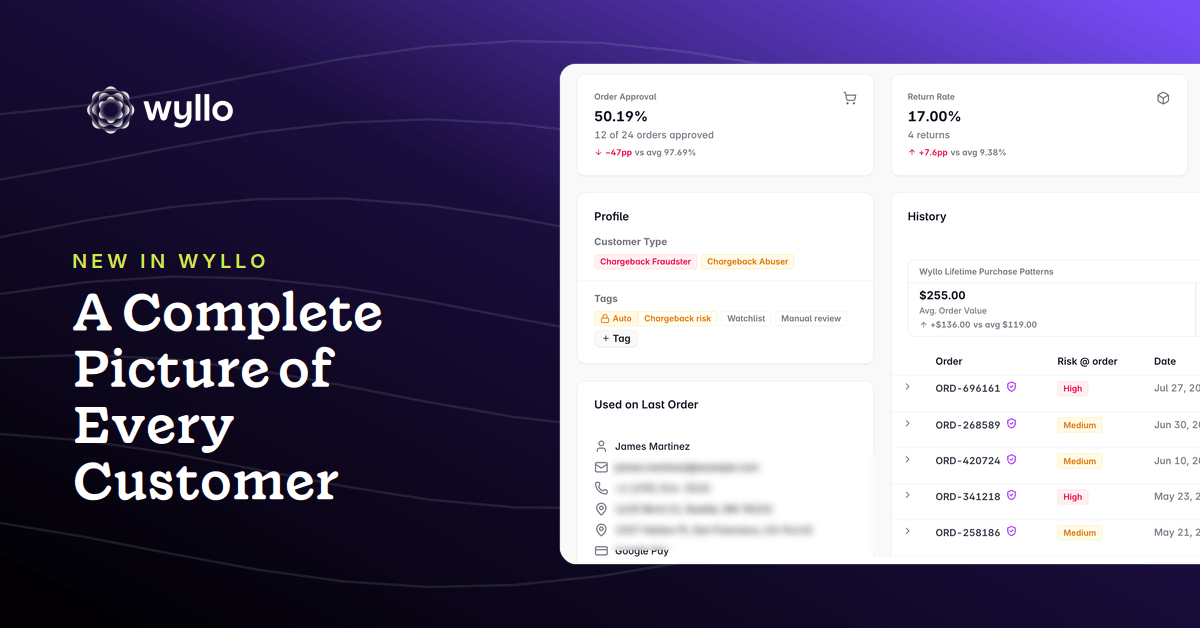
Customer Profile is the answer. It’s a single page in Wyllo for each customer in a store, bringing their spend, their order history, their returns and chargebacks, the risk signals attached to them, and the actions your team has taken into one view anyone can read. No joins, no query writing, no institutional memory required. It’s rolling out in the Wyllo portal now.
Why We Built Customer Profile
The gap was never a shortage of data. Wyllo has been scoring these orders and recording these events all along. The gap was that the intelligence had no page. It lived in individual orders and separate systems, which meant the person looking at a customer could see one transaction clearly and the relationship not at all.
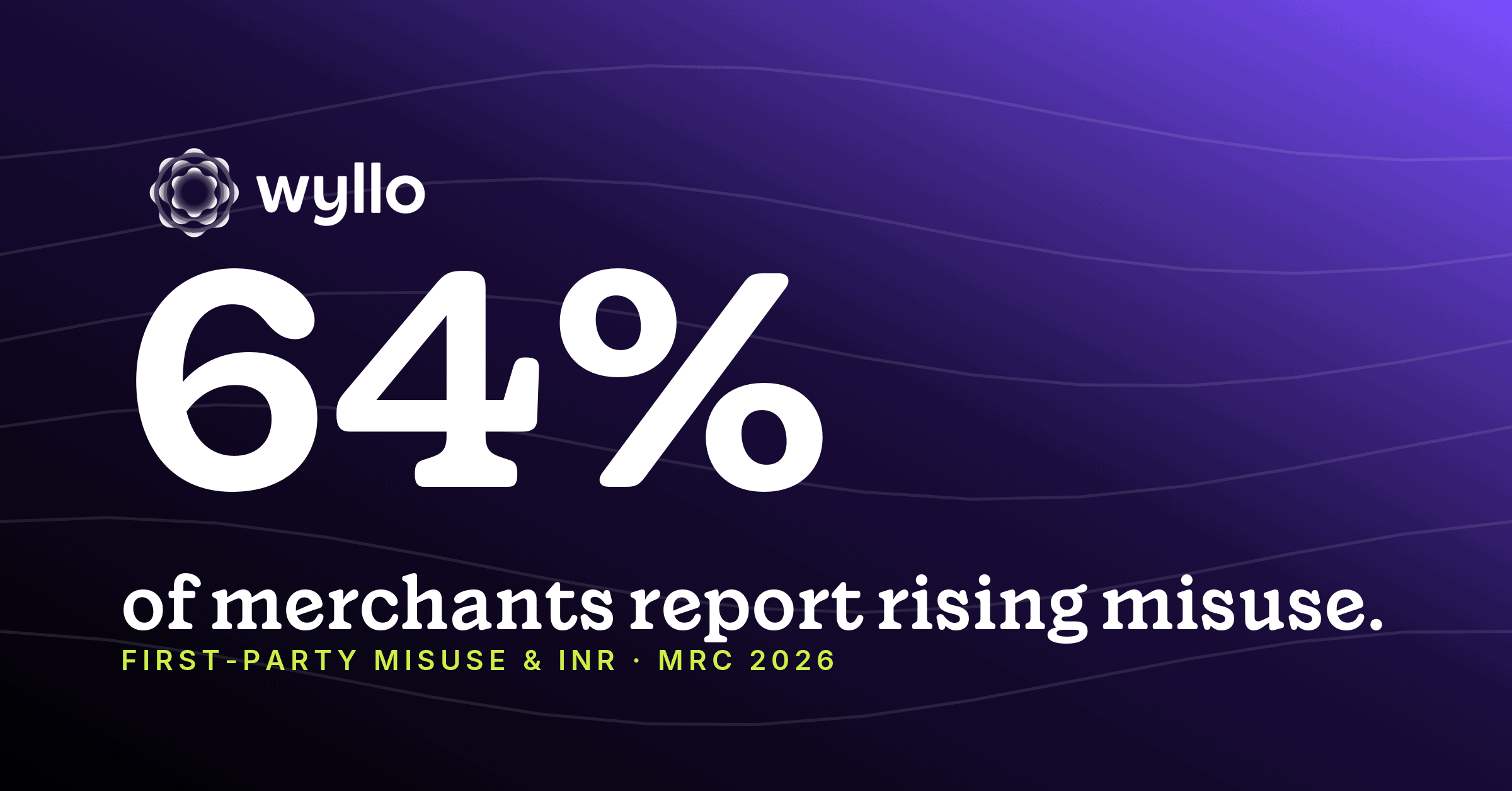
That distinction is getting more expensive. The Merchant Risk Council’s 2026 Global Payments and Fraud Report found 62% of merchants reporting increases in chargebacks tied to first-party misuse, and 57% citing increases in refund and policy abuse. Neither of those patterns is visible in a single order. They are only visible across a history, which is exactly the view nobody had.
The cost showed up as slow, error prone judgment calls. Deciding whether someone is a legitimate buyer, a genuinely valuable customer, a serial returner, or part of a coordinated group took time your team did not have, and the same work got redone the next time that name appeared. LexisNexis Risk Solutions’ 2025 True Cost of Fraud study found 41% of North American merchants still depend on manual processes to prevent fraud. A good deal of that manual work is not analysis. It is reassembly.
What Customer Profile Shows You
Everything on the page answers one question: what is this customer’s true lifetime value in this store?
Profile metrics. Net spend, estimated profitability, negative events, average order value, discount spend, order volume, and the date the profile’s data starts. The headline numbers a CX agent or analyst needs before they respond to anything. Profitability here is a directional estimate, netting the cost of returns and chargebacks against sales rather than reading your actual per-item margins, so treat it as a way to rank customers against each other rather than as an accounting figure.
Approval, returns, and chargebacks. How often Wyllo approved this customer’s orders, how often they return, and their chargeback history, so exposure is a number rather than a hunch.
Full order history. Every order with its status, its items, Wyllo’s decision, and the risk score captured at the time that order was placed. That last detail matters more than it sounds. A risk score is a point-in-time judgment, and preserving the original gives you the context the decision was actually made in rather than a number recalculated after the fact.
Activity log. Verification events, tag changes, and account actions in chronological order, so there is an audit trail of what happened to this customer and who did it.
Tags and notes. Structured labels and free text your team and Wyllo’s analysts can apply, which then drive routing, segmentation, and automated workflows.
Where Customer Profile Fits
Customer Profile is just one surface, not a silo. It reflects the decisioning already running across the Wyllo platform, which is the whole point of Intent-Aware Decisioning. Connected signals across the customer journey are what make intent legible, and intent is what a single transaction can never tell you.
- Wyllo Payment Fraud Protection produces the order decisions and risk scores the profile preserves, which is what makes the order history an evidence trail rather than a list.
- Wyllo CX Support carries this context into the tools your agents already work in, so the profile informs the reply instead of requiring a detour.
- Wyllo Return Fraud and Abuse Prevention and Wyllo Claim and Policy Abuse Prevention supply the return and claim behavior that turns a spend figure into an actual picture of profitability.
Less reaction. More reason.
Frequently Asked Questions
What is a customer profile in Wyllo?
A Customer Profile is a single page for one customer in one of your stores, bringing together their spend and profitability metrics, approval rate, returns, chargebacks, full order history with the risk score captured at each order, an activity log, and any tags or notes applied by your team or Wyllo’s analysts.
Is Customer Profile scoped to one store or all of my stores?
One store. A profile describes a customer’s activity on a single app or integration, mirroring that platform’s own customer record, and a scope chip beside the customer’s name makes that explicit. Rolling profiles up across every integration in your organization is the next phase of the work, not what is available today.
Does Customer Profile show connected accounts or fraud rings?
Soon. Surfacing clusters of connected customers, with the reasons they are linked and a network graph to explore them, depends on clustering work in progress and arrives in a later phase.
Why does the order history keep the old risk score?
Because a risk score is a judgment made at a moment, with the evidence available then. Preserving the score captured at each order lets you see why a decision looked correct at the time, which is what you need when reviewing an outcome, rather than a number quietly recalculated later.
Who can apply and see customer tags?
Tagging is permissioned. Your agents can apply and see merchant-scoped tags; Wyllo staff apply Wyllo-scoped tags. Both appear on the profile, every change is recorded in the activity log with an actor and timestamp, and tags are searchable and filterable across the customer list.
How often does a profile update?
Profiles refresh once daily, and risk is reassesed, as new orders and events arrive, so the picture keeps improving over time without anything being rebuilt or overwritten.
Bringing It Together
Ecommerce risk and customer experience have both been organized around the transaction for a long time, largely because the transaction was the thing systems could see. Judging a person by one order is a structural limitation of legacy fraud prevention. Wyllo changes that, and Customer Profile is one critical piece.
Already using Wyllo? Open Customers in the portal and pull up someone you have been wondering about. Not yet a customer? Explore the Wyllo platform to see how connected intelligence works across the full journey, and what it looks like when risk and customer experience read from the same page.